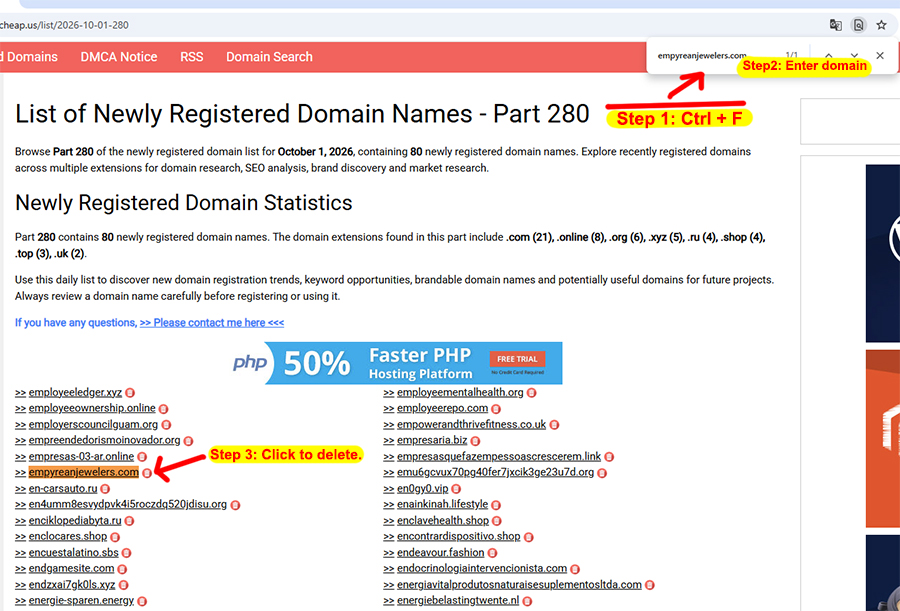
How do you remove your domain from the list?
How to Remove a Domain from the List
Follow these simple steps to remove your domain name from the list.
-
Step 1: Find the Correct List
Identify which list contains your domain name.
-
Step 2: Search for Your Domain
Open the list in Google Chrome. Press Ctrl + F, then enter your domain name to find it quickly.
-
Step 3: Remove Your Domain
Once you find your domain name, click the red trash can icon next to it to remove it from the list.